iPhone App Directory

Trinity DAW box on Music Thing


I've mentioned the Trinity DAW in a box before, but here's a cool picture of it care of Music Thing.

What's next for NotePad?


In version 1.5 I think we'll see even more goodies turn up for NotePad. For me the most exciting will be a range of export formats. If this is implemented it effectively means that you'll be able to create sounds in SoundPad and by using NotePad's export facility to export as a wav file you can use that sound in another application, like Bhajis Loops. I think this starts to make the whole experience of mobile music quite interesting.

It means you get synthesised sounds from SoundPad into a different environment altogether, and the applications start to be able to work together in a really interesting way.

I'm not sure about the option to add lyrics. I can on the one hand see myself using this, and on the other not bothering. I'll have to wait and see.

As for dynamics, I think that it will be interesting to see how this is implemented.

Overall, can't wait.

Swivel Systems are no more?


I tried to find the site for Swivel Systems to have a look on the offchance that they were making something new? Sadly the site is no longer there. I think they may have disappeared completely, which is a shame really.

The SG20 was the very first module I got. It fitten onto the base of my palm IIIx and was slightly smaller than a packet of cigarettes. It was a GM module that had a midi in/out box that you could attach to it, although I never used this.

The quality of the sounds was excellent, and I always enjoyed using it, but as with all these things you get to a point where you say, actually it is too big / cumbersome / too many bits of kit to lug about, and that's what happened. In a way I wish I'd kept it, but I know I wouldn't use it at all.

The SG20 tone module clips on to a Palm™ III type handheld computer or a Palm V or Vx with an adapter, creating a compact mobile music platform. Coupled with software from miniMusic™, it gave musicians portable real-time control over their music.

In addition to the SG20, Swivel Systems were working on a Springboard Module for Springboard compatible handhelds, such as the Handspring Visor handheld computer. Similar to the SG20, this module would have provided Visor handhelds with a General MIDI synthesizer for extremely portable music creation. Of course there was the beatplus module for Visor, but it was very hard to get hold of indeed.

Here's the original feature list for the SG20:

Features

stereo mini headphone jack for private use

volume control knob and bass boost switch

connector for detachable MIDI/Audio expander cable which provides full-size standard MIDI in and out ports in addition to left and right phono jacks to hook your SG20 into your studio

compatible with MIDI software from miniMusic including BeatPad and NotePad

import and play back standard MIDI files (SMF) using third party software

up to 24 simultaneous 16 bit 44.1 kHz CD quality wavetable voices (16 pitched instrument voices and 8 percussion voices)

choose from 128 different instrument sounds

140 different percussion sounds organized in 8 drum kits
built-in chorus and reverb

weeks of regular use on one pair of AAA batteries (included)

directly compatible with all Palm III and VII series handhelds (also works Palm V/Vx using a Palmdock V from Solvepoint Corporation), IBM Workpads, and HandEra's 330 and TRGpro

___________________________

It is a real shame thet they are no more. I like to think what it might have been like if they had made a new module for the T series PDAs, but I doubt that will ever happen.

If you ever had one or indeed still do, please let me know what you think of this very original piece of hardware.

BeatPad 1.5 coming Spring 2007


BeatPad was one of the first pieces of musical software I purchased for the palm. BeatPad is a sequencer for the palm. It has a single monophonic music sequence and a drum pattern editor. It arranges patterns into four banks, A through D, and each bank has 8 patterns in it.

In version 1.1 you can tell the app to move from one pattern to the next, but you can't give it specific instructions like "A1 four times, then A2 etc". I'm sure that this sort of thing will come in a later version.

In version 1.5 the new low latency synth that's being used with MixPad will be incorporated into the app.

On of the things I've always loved about this app is the interface, although that is something you can say about all of the miniMusic software. The BeatPad interface is very user friendly, but also beautifully designed. Try it out, you'll like it.

ittyMIDI Drummer


ittyMIDI Drummer is a MIDI drum machine for Palm OS ittyMIDI. The beta version is available now.

Drummer has the following features:

Real-Time switching between up to eight patterns in a given style. Each pattern includes its own fill. Each style also has an intro and end pattern.
Innovative Hit Feature provides a way to accent any beat, allowing you to break free from the canned drum loop sound.
MIDI File Format uses standard marker messages to delimit patterns, allowing easy creation of custom styles with a MIDI sequencer!
External Control allows all of Drummer's functions to be controlled via MIDI for live flexibility (converter box required).

The app has been in beta for quite a long time now so I do wonder when it will go to version 1.0. However, it is always good to see new music applications appearing for the palm platform, or for any mobile platform for that matter.

MixPad 1.0 from miniMusic


Right on time. MiniMusic releases their MIDI mixing application. Fantastic! Yet another part of the miniMusic integrated suite of applications.


Having been involved in the beta test I can say that I think the app is in great shape and really worth a look.


Read the press release:

PRESS RELEASE

MINIMUSIC MAKES MOBILE MIDI MUSIC MIXER!
MixPad plays and remixes MIDI files on any Palm handheld or phone.

San Francisco, Calif., March 19th, 2007 - The new MixPad application from miniMusic plays standard MIDI files on any Palm Powered handheld or phone and can remix the songs as they play. Songs can be played on most modern devices using miniMusic's Krikit Audio Engine for rich polyphonic audio. Some handhelds can be connected to external music hardware like synthesizers, samplers or tone modules and MixPad can control those. Handheld computers with dedicated sound cards are also supported, including models from Sony, Tapwave and Handspring. The mixing board inside the software can adjust the volume and panning of individual instruments while a song plays, or solo or mute tracks.

Although MIDI files are not usually used for passive listening, they remain a primary tool for music studios and live performances; they provide backing tracks, control instruments remotely and quickly configure music hardware. MixPad lets professional musicians carry all of these tracks and settings in their pockets at all times. Also, music students can rehearse pieces by muting out a part they want to play themselves, or soloing a part they want to listen to more carefully. MixPad is a powerful tool for performers, DJs, songwriters and music hobbyists.

"This has been a major missing piece in our journey to bring desktop music tools to handheld computers," says Chad Mealey, chief developer at miniMusic. "Musicians ask all the time if they can put their whole MIDI library on a Palm or use the Palm to play backing tracks in live performances. With the release of MixPad the answer is finally 'yes you can'."

MIDI files are an industry standard format for music that predates MP3. Containing no actual recorded sound, MIDI files instead contain detailed instructions for performing the music (details like how hard a piano key is struck, or the subtle bending of a guitar string). Although MIDI files cannot include vocals, the instrumental songs are MUCH smaller than MP3s and much more flexible. MixPad's ability to change levels or panning of individual instruments would be impossible with a standard MP3 file. A MIDI file is easily 1000th the size of an MP3! Due to their small size they are still used widely on the internet, in computer games, and for ring tones.

This first version of MixPad only plays and mixes MIDI files and requires a handheld or phone running Palm OS version 3.5 or higher (Palm OS 5.0 or higher is needed to use the Krikit Audio Engine). A Pro version of MixPad will be offered later this Spring adding recording and editing capabilities -- a complete portable MIDI studio. Since MixPad uses the Krikit Synth, you can use sounds designed with miniMusic's SoundPad to play songs in MixPad.

Pricing, Availability, and Distribution
MixPad is available now for $29.95 US. However an introductory sale at miniMusic.com brings the price down to only $19.95 US. MixPad is also included in the miniMusic Pro Suite, bundled with the NotePad, BeatPad, AxisPad, and SoundPad applications; the suite retails for $89.95 US. A free demo of MixPad is currently available for download from the miniMusic web-site at www.miniMusic.com.

About miniMusic
Based in San Francisco since 1999, miniMusic creates handheld computer software for music composition, education, performance, and entertainment so that musical ideas can be explored anywhere and anytime, giving individuals the freedom of musical expression on their own terms. Shipping applications include NotePad, BeatPad, SoundPad, MixPad, AxisPad, EarTrain and BugBand. Upcoming products will tackle multi-track editing and innovative new musical interfaces.

What's next for AxisPad?


According to the miniMusic development calendar we can expect record and export functions to be added. So you can make your own AxisPad performances and then export them out, but it what format? Out to NotePad, MIDI? .WAV? Who knows as yet, either way it will be a great new extension to AxisPad, an already excellent music application.

Electroplankton 3


Another short video about Electroplankton. Enjoy.

tags technorati :

Palm Sounds logo


I've been working on this for a little while. I started with a bunch of ideas that just didn't work, but I think this one does. Let me know what you think and if it makes sense.

New TuneStudio pictures


More pictures of the iPod mixer.

Electroplankton videos


Some stuff I found on YouTube showing Electroplankton in action. Worth looking at I thought, so here they are for your viewing pleasure...

SpinPad Soon?


According to the miniMusic development calendar SpinPad will be out soon, this spring in fact!

If you read about this app from miniMusic it has been in development for a very long time, originally intended to be released in 2002. SpinPad is a graphic pattern sequencer which has been designed as a much more intuitive and flexible interface than BeatPad. SpinPad offers flexibility and ease-of-use.

Instead of every pattern being 16 steps long (like many sequencers), SpinPad lets you freely scatter notes anywhere you like--up to two hundred of them! Right on the beat, way off the beat, or anywhere in-between.

Instead of a "bouncing ball" indicating which note is playing, you can clearly see what note is playing as it is hit by a spinning arm. Notes (or "bells" as we think of them) can be moved by simply grabbing them with the pen and dragging them, and an edit window lets you design each bell just the way you like; you can even choose what the distance from the center of the circle means for each bell (distance can determine pitch, volume, duration or MIDI channel).

So, what will it look like when it is finished? I'm not sure, all I know is I'm looking forward to it.

Mobile Studio: Palm OS4: Piezo Power


This is one of the earliest music applications for Palm OS I can find. In many ways it was and still is very different from the standard applications which give you a keyboard or other standard interface.

Piezo Power allowed you to control the pitch and volume by drawing on to the screen. Quite advanced really when you think about it.

The most interesting feature of this little application was the fact that it would find another palm pilot over infrared and sync with it so that the cycles of both palms ran together.

Now that is really advanced for the time it came out!

I looked around recently and I couldn't find a copy of Piezo Power available for download anywhere, so I will make it available soon on the downloads page.

I think it would be interesting to see some of the features of Piezo Power being incorporated into newer OS5 software, or indeed an updated version if the developer is still out there.

Upgrade time

All my Pocket PC apps have been running on a Jornada 568 for a very long time now. Finally I've decided to upgrade and get some more power behind them, especially the more recent apps that need the power.

So, I've ordered a Dell Axim 51. I'm hoping that the 500mhz will be more than enough power to keep all these apps going, we'll wait and see.

Just so as you know, here's what I run on Pocket PC / Windows Mobile:

- Griff
- Syntrax
- MilkyTracker
- Phoenix Studio
- Pocket Jam
- miniMIXA
- Audio Box
- Stomp Box

In addition, I'm running StyleTap with Bhajis Loops and Microbe, so it should be interesting to see how all these fit together with the Axim.

PSP Rhythm 7.0 in action!


I found this clip on YouTube. I think it gives a nice little demo of what PSP Rhythm can do.

Bhajis Bag of Goodies ...

The fantastic bhajis t-shirt ...


and the brilliant pioopioo bag ...


I remembered a while ago about the Bhajis shop at Cafepress. Lots of fun things here. Do take a look, you know you want to...

Now there's a clever parrot for you

Here's an interesting site for any budding palm music application developers out there. Clever Parrot seems to have lots of useful information and code samples too about writing software for the palm platform with a number of code snippets for use in musical applications. Why not take a look?

Downloads

Palm Sounds now has a download site (one that you can rely on) for a few bits and pieces that you won't find anywhere else. Firstly are the Capers applets and demo apps from DSPerado. The dsperado site is no longer there, but as these were freely downloadable from the site I figured it can't be too bad to let more people download them.

The downside with capers applets is that they are Palm OS4 apps and I've never been able to get them to work in OS5. Please remember that you download and use them at your own risk. I didn't code them so I don't know if they can do any damage.

Click on the title of this post to go to the downloads page, and enjoy!

miniMIXA in Japan

Tim Cole is on his way to Japan for a demo tour. How cool is that! I wonder how miniMIXA will go down?

Pro Tools type application on a Palm OS device?


Ok, let me start by owning up to the fact that this application doesn't actually exist as yet. Fair enough. But there is a possibility that it could exist in the future, although there is of course no certainty.

I have been in discussion with the developer of Wave Edit Pro (a sample editing application for Palm). He has just released a new application called Mp3Enc, an MP3 encoder for palm (worth having a look at).

I asked him how much it would cost to update his software to add new sample editing functions. In his response he mentioned that he had been in discussion with a client to develop an application like Pro Tools for the palm platform, and that the cost of this development was around $10,000. Obviously I don't have that kind of spare cash in my pockets, but it made me wonder if a bunch of like minded Palm music types got together to fund a development?

Looking at the Bhajis Loops forum there are just over 450 users. If all the people who use that forum chipped in to this project it would cost each of us under $23 to participate. Obviously the more people who join in, the larger the budget for the development / the lower the individual cost.

I don't know if anyone else would be interested, but if you are, comment on this post or vote on the forum (click post title to visit the forum) and we'll see how many people would want to contribute and if it might get off the ground.

Lots of things happening over at miniMIXA

There have been a few notes out from Tim Cole about the site consolidation at Tao. It seems that miniMixa is evolving into a platform which will comprise a variety of new applications:

miniMIXA Application Suite

The intent miniMIXA suite of modular, commercial quality applications, provide powerful and easy-to-use music and media mixing software applications (including the BAFTA award winning mobile music mixer) for smartphones, Pocket PC / PDA and XP desktop, comprising:

miniMIXA RingtoneDJ
miniMIXA MusicDJ
miniMIXA MoBlogger

Here's a little bit more about each.

miniMIXA™ RingtoneDJ

miniMIXA™ RingtoneDJ provides an easy to use, personalised ringtone mixer.

- Easy to use interface lets users mix, save and perform their own great sounding audio or MIDI ringtone
- Range of over 20 different global, high quality live sound FX including reverb, chorus, filter, compressor, EQ, delay
- Up to 12 independent audio channels: each with volume control, track FX, loop on/off
- Key presses or Navkey are used to create and control mixes simply, quickly and easily
- User configurable key press and navkey operation for maximum flexibility, e.g. loop on/off, select content, track fx
- Content formats include audio, MIDI and modular synthesizer, depending on configuration
- Auto pitch-shift & time-stretch allow mixing and matching of content "on the fly" from different MIXApaks
- High quality user selectable output in mono or stereo, and up to CD quality (device dependent)
- Audio & MIDI recordings can be emailed, depending on configuration & content
- Recordings include audio, MIDI, key strokes and microphone (users can make and mix in their own per-track mic recordings)

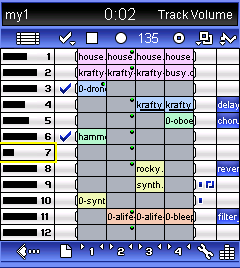
miniMIXA™ MusicDJ (this one is most like the current miniMixa as far as I can tell)

miniMIXA™ MusicDJ turns a mobile phone into a portable recording studio, enabling the delivery of advanced personalised interactive music services and live 'DJ' performances.

- Powerful, yet easy to use UI lets prosumers and DJs create, mix, sequence & perform 12 track music on a mobile
- 4 cells can be sequenced, locked and triggered for each of the audio channels
- Each track features a volume control, track FX and track rules including spot cell, randomise and shuffle
- Columns of cells can be looped / soloed, and allow up to 48 samples to be loaded simultaneously (memory dependent)
- Range of over 20 different global, high quality live sound FX including reverb, chorus, filter, compressor, EQ, delay
- Content formats include audio, MIDI and modular synthesizer, depending on configuration
- Manual and auto pitch-shift & time-stretch allow mixing and matching of content "on the fly" from different MIXApaks
- High quality user selectable output in mono or stereo, and up to CD quality (device dependent)
- Real time Sound FX and Synth sound editor tool
- Recordings include Audio, MIDI and microphone (users can make and mix in their own mic recordings)

miniMIXA™ MoBlogger

miniMIXA™ MoBlogger turns a mobile phone into a powerful, easy to use mobile blogger enabling users to create stunning, high quality video blogs on their phone from a range of multimedia elements. Order selected images and video clips and choose transitions, perhaps record some accompanying personal voice commentary, maybe add in a backing music track to create a mood and even apply some "spot" sound FX for fun. Then export the resulting multimedia production to a video clip.

- Lets a user easily create and preview stunning, high quality video blogs on their phone
- User can select and time order images and video clips, record multiple independent voice commentaries, add backing music and apply multiple "spot" sound FX, depending on product configuration
- Includes over 20 user selectable image transitions including fades, wipes, checkerboard, cross fades
- "Ducking" compressor makes for "pro" voice overs, through attenuating backing track level according to mic recording level
- User adjustable volume levels, global transitions etc. and range of user configurable options
- Resulting multimedia production is exported to a video clip, format depending on miniMIXA configuration
- Supports add on theme packs (MIXApaks) including sound FX, animations, backing tracks, images, video clips and picture frames
- Exported video clip can be uploaded to UGC site, depending on product configuration/integration
- FX and backing track audio formats can include audio, MIDI and synth; user backing music tracks could be made with MusicDJ or RingtoneDJ

Although I could find no way to access any of these applications as yet, they sound very impressive indeeed. If you try going to the store on the site it doesn't seem to be there, so there is no current way to even buy the previous version of miniMIXA, I am hoping that these new apps will be available to download and buy rather than just be available to hardware vendors. It would be a shame if they weren't made available to purchase.

I'll see what else I can find out...

Tenori-on


I like the look of the Tenori-on. The device appeared in June 2005. Although at the expected launch price of £500 I doubt I would be standing in a line to buy one when it is finally launched. There's a very good article all about it on Create Digital Music which gives lots and lots of information about the device and specs.

It seems as though the unit is going to ship without the ability to network with other devices, which, as far as I understood it was a key element in the design. Anyhow, what I was thinking, was wouldn't in be interesting if an application emulating this was developed for the Palm OS or for Pocket PC for that matter.

The basic design and interface could easily be mimicked. PDA's already have touch screens so that's not a problem. Several application developers have used sampling in their applications and MIDI (albeit for older palms) as well. Also, many newer PDAs have bluetooth and Wifi so networking could be incorporated perhaps.

I think something like this would be a great addition to the handheld music library. I wonder if anyone will take it on?


Thank you

Just a quick post to say thanks to all the people who helped by responding to requests and filling in questionnaires. I've sent in my submission for the 4th Annual International Workshop on Mobile Music Technology, and as soon as I hear whether may paper has been accepted or not I'll post the news.

PSP Rhythm 7.0


I haven't had a look at this for a long time now, mainly due to the fact that I don't own a PSP. However, it looks like PSP Rhythm has really moved on in a big way.

PSP Rhythm 7.0 is a complete music workstation in the palm of your hand. PSP Rhythm features include sample playback, sample manipulation, audio effects, grid sequencer, and song arranger. PSP Rhythm enables you to take audio samples, arrange them, effect them, and record your songs to CD quality audio files.

Major Improvements for version 7.0:

- Wave Table Synthesizer (with user defined oscillator)
- Sample Volume Envelope
- Improved Audio Engine
- Song files have replaced bank files
- Improved file user interface

Inspired by classic drum machines, synthesizers, samplers, and modern audio software, PSP Rhythm is a portable music studio which fuses old and new ideas.

The heart of PSP Rhythm is its sample based playback engine. The playback engine enables you to chop and pitch-shift any sound. Every sampled sound also runs through an individual volume envelope which enables you to alter the attack or decay of the sound. Samples can then be modified with effects such as distortion, slicer, delay, time-stretch, high/low pass filter, and monophonic sample mode.

The on board Bass-line synth in PSP Rhythm is similar to the classic Roland TB-303. TB-303 style features such as Accent and Slide are available. The real-time control of the cutoff and resonance give you that authentic "Acid" sound that made the TB-303 Bass-line synth so famous.

The newest audio tool introduced in PSP Rhythm version 7.0 is the Wave Synth. The Wave Synth uses the basic building blocks of subtractive synthesis with the ability to use any sampled audio source as a digital oscillator.

PSP Rhythm can simultaneously sequence 15 samples or 15 wave synths and 1 Bass-line synth. Sounds are grouped into patterns, patterns can be expanded into songs, and songs can be recorded to CD quality PCM wave format and exported to general midi. Songs can now be loaded and saved per song file which enables you to save and back-up your data as much as you wish.

MixPad from miniMusic: Beta test


I've just got beta 2.2 of MixPad and have been playing with it. It is a fantastic little application. The Krikit settings are all working now and type 1 MIDI files are now supported.

From what I can see and the speed at which MiniMusic are turning things around I think we should expect a full release by the end of the month, and I'm really looking forward to that.

But there is one downside. The cool reel to reel icon has gone. Replaced with a mixing board icon which is still cool, but ....

Music mixing DJ performance at Tao 3GSM party with miniMIXA on Windows Mobile device

Here's a good article from the Colartz blog about a live miniMixa performance at 3GSM. The mix sounds good, it woould have been nice to see it as it was running from a PocketPC over bluetooth.

(Click the title to go to the article)

TuneStudio: Interesting Podcast on ALI


Click the title to link to an interesting podcast about Belkin's upcoming TuneStudio. Not only provides some interesting information about the product but also suggests that there may be several versions in the pipeline perhaps for podcasting or other recording applications. Could be useful.


MixPad from miniMusic: More info and pictures...

Here's some more information on the current MixPad beta. So far I think the app shows real promise. It needs some of the functions to be switched on, but it works well in terms of what is expected in the beta so far. So, here's to MixPad and its impending release in March.

Here's the details.

MixPad Beta Test 2
MixPad has now had many of the issues solved with the Krikit Synth and is going into a new round of testing.The beta is due to expire at the end of March.

USING MIXPAD - LIBRARY
When you lauch MixPad it will open in the library with a listing of all MIDI files on the memory card. The beta only opens the first card it finds. In the top right corner are icons for the memory card, and the internal RAM. You can drag a MIDI file onto the RAM icon to copy the file into RAM. You can tap on the RAM icon to show MIDI files in the internal RAM. You can drag a MIDI file onto the trash to delete it. Tap on the MIDI file name to open it.


USING MIXPAD - SONG
When you open a song, the notes are drawn as lines. In the tabs at the bottom you can see the velocity values for each note under the "vel." tab, and pitch bends under the "ctrl." tab. The Info, slider and piano tabs are not functional yet. You can zoom in and out with the icons on the right side, or you can scroll through the song (up/down, left/right scroll bars).
The play and stop buttons can be found at the top of the screen, or you can also use the application buttons (hardware buttons found on either side of the directional controls).

The "mix" tab will take you to the mixing board. This can be used to change channel volumes and panning in "Serial Port" or "Sound Card" playback modes, but the channel controls are not yet functional for playback with the Krikit Synth. The master volume control on the right side will affect Krikit Synth playback.

Choose "Close Song" from the Options menu to return to the file listings. Choose "Preferences" to change playback mode (SerialPort, SoundCard, KrikitSynth) or serial baud rate. Playback using "Basic Sound" is not yet supported.

KRIKIT SYNTH
Choose "Preferences" from the Options menu and "Play To: Krikit Synth" to play the song using our software synthesizer. With Krikit you can get rich polyphonic sound without any additional hardware. This requires an OS 5 handheld like a Tungsten, Zire 31, 71, or 72, or a Treo 600, 650, or 680, Tapwave Zodiac, or some Sony Clies.
Choose "Krikit Settings" to change the polyphony (or the sound bank if you own SoundPad). The other settings are not yet supported. If your handheld has a CPU faster than 200mhz, it should be able to run the maximum 32 oscillators. Slower handhelds (like Tungsten T or Zire 71) may need to be set as low as 16 oscillators. Most instrument sounds use more than one oscillator, so this number does not equate directly to note polyphony.


Krikit playback only supports NoteOn, NoteOff, Program Change and Tempo events. Pitch bends, channel volume and other control changes are not yet implemented, but they will simply be ignored if present in your MIDI file and should not cause an error. SerialPort or SoundCard playback support more control changes and other events.


SOUND CARD
Choose "Preferences" from the Options menu and "Play To: Sound Card" to play the song using the sound card built into some hadhelds. Sound Card playback should be available on these Sony Clies: T415, T425, T615c, T625c, T655, T665, T675c, NR70, NR70v, NX60, NX70, NX73, NX80, NZ90, TG50.

SERIAL PORT
Choose "Preferences" from the Options menu and "Play To: Serial Port" to play the song using external MIDI hardware connected with a serial interface. This is especially easy to set up on older handhelds (Tungsten T or earlier models like the m125, 130, 500, 505, 515, etc.). Some newer models can be used for serial over MIDI but can only send data at the PC-2 baud rate (38,400 bps) which can be set in the preferences window. Your serial MIDI interface or serial "host" port on you MIDI hardware will need to be set to match (Mac or PC-2.

So you can see that whilst there are bits missing from the current beta it has got a lot of the final functionality available. Let's see how things develop over the next few months.

StompBox for PocketPC


I stumbled on this at PocketGear the other day and realised that I had found something new. Stompbox was released on the 14th of Feb and is quite different from the normal kind of music software you see for Pocket PC (or Palm OS for that matter). It seems to revolve around live performances using multiple effects that can be chained and adapted, then be saved using a "loop recorder". Although I have to admit that I couldn't tell you if that means you can export to a .wav file at the end of the process (which would seem obvious at least to me).

Anyway, once I've had a chance to play with this I shall review it in a bit more detail, that's assuming I can get it to run on my aging Jornada 568.

Here's what the write up in PocketGear says about it:

StompBox is the ideal companion for acoustic guitar players who want to get more creative with their sound. StompBox turns your Pocket PC into a personal practice amp and effects unit.

StompBox can be used to enhance any accoustic instrument and isn't limited to guitar users. StompBox allows you to create chains of up to 9 effects, which can be placed in any order. Once you have perfected your sound, you can save the entire chain as a preset which can be recalled quickly and easily.

The built in loop recorder allows you to capture a few bars or even a whole song (memory permitting) which can be used as a backing track for you to play along with. For example, a guitarist may want to record a few bars of rhythm over which he can practice playing lead parts.

Effects Include: Overdrive / Distortion, Parametric EQ, Pitch Shifter, Phaser, Tremolo, Chorus / Flanger, Digital Delay, Digital Reverb and 7 Band Graphic Equalizer.

- 9 different effects pedals
- User definable effects chains
- 9 Simultanious effects
- Metronome (40-200bpm)
- 440Hz test tone
- Loop Recorder
- Supports 11,22 and 44Khz modes
- Manual Latency Settings
- Load and Save Patches

tags technorati :

Electroplankton


Here's a video I made using Electroplankton. I love Electroplankton. It is on one level so simple and easy to use, and yet it hides an amazingly complex set of musical tools. It makes the process of making music so enjoyable and such a simple discovery it is truly wondrous.

I find using electroplankton a real relief from the usual music technologies. It is like light relief. At some point I'm going to use some samples from it in Bhajis Loops.

Bhajis Loops - Beat Slicing Tutorial


Here's a cool video tutorial on beat slicing in Bhajis Loops. Nice.

MixPad from miniMusic


Well, the long awaited next delivery from miniMusic is well on the way to being available. Now in beta test MixPad is a fully featured MIDI file player/recorder/editor. It will let you take any raw MIDI file with you on your Palm and play it with using the miniMusic Krikit audio engine, on connected MIDI hardware, or on a sound card if your handheld has one (such as the Sony Clie NX series, or a Zodiac).

MixPad differs from any other MIDI file applications for the PalmOS; it includes powerful graphic support for simple viewing, mixing and quick editing.

Usable for real performance situations, or music practice, MixPad gives you a powerful real-time mixer interface to control channel volumes, panning, and solos and mutes for every track during playback. The main display gives smooth scrolling of all MIDI data (including velocities and controller data) and zooming. Unlike other MIDI file players that use hundreds of kilobytes (or even megabytes) of memory for sound samples, our software synthesizer generates audio without any recorded sound; it's only 10k! Unlike MP3 players, there is no recorded audio, so song files are also very small (usually under 100k).

MixPad currently works only as a song player/viewer. MixPad Pro will offer real time recording and MIDI file editing features.

According to the miniMusic site the software should be available in March which is really encouraging.

Coupled with this is a re-working of the Krikit audio engine synth to remove the latency issues that previously existed.

Finally I have to say that I love the icon for this application. it is superb!

My initial response to the app has been good so far. The interface works well although it has a lot going on, and files are easy to navigate to and open. The no latency synth is working well too. I'm going to have some more time to play with this soon and then I'll write more about how it all works. Back soon.


Abadja Rhythm for Palm


Abadja Rhythm for Palm is a flash application that has been designed to run in the flash player for palm devices. I have to start off by saying that I have a soft spot for these kinds of applications for several reason, not least of which is that I spent some time a few years ago making similar apps (although I have to say not nearly so well designed). Perhaps one day I'll dig them out and see if they've got life in them.

Anyway, back to Abadja Rhythm for Palm. Of the flash based applets I've seen so far this is by far the most complex and complete. It is a rhythm applet that uses several different percussion sounds that you can overlay together. It has a series of screens which explain the instruments used in the applet, and also gives some background to the music and culture of the region. This feature being a really nice touch indeed.

When you get to the main screen you have six percussion instruments that you can bring in or out of the mix. These combine to give you Abadja Rhythm.

Overall it is a nice applet that is an excellent example of what can be done using flash. Thanks to Hayden of Sonify.org for letting me review it.

Just to end here's a little video showing how it all works.


tags technorati :

Mobile Music Workshop

Ages ago I posted on the Mobile Music Workshop in 2006 in Brighton. This year's workshop is in Amsterdam, and I am hoping to go along.

I am also planning to submit a paper on Mobile Music Technology. To do this I need to carry out some research into what people use and how. If you are able to fill in a questionnaire please do. The questionnaire is available as a word document and you can download it by clicking here.

Details on the Amsterdam event:

INTRODUCTION
Combining music and mobile technology promises exciting future developments in a rapidly emerging field. Devices such as mobile phones, Walkmans and iPods have already brought music to the ever-changing social and geographic locations of their users and reshaped their experience of the urban landscape. With new properties such as ad hoc networking, Internet connection, and context-awareness, mobile music technology offers countless new artistic, commercial and socio-cultural opportunities for music creation, listening and sharing. How can we push forward the already successful combination of music and mobile technology? What new forms of interaction with music lie ahead, as locative media and music use merge into new forms of everyday experiences?

This series of annual workshops began to explore and establish the emerging field of mobile music technology in 2004. This fourth edition of the Mobile Music Workshop in 2007 offers a unique opportunity to participate in the development of mobile music and hands-on experience of cutting-edge technology.

This year’s workshop is hosted by STEIM and Waag Society in Amsterdam, The Netherlands, and partners with the Futuresonic Festival in Manchester, England, taking place later the same week. The programme of the workshop will consist of keynote presentations from invited speakers, peer-reviewed paper presentations, poster sessions, in-depth discussions about the crucial issues of mobile music technology, demos of state-of-the-art projects, break-out sessions and live events. Registered participants will take part in hands-on sessions conducted by leaders in the field. In addition to traditional presentation sessions, the programme includes events open to a general audience, facilitating the presentation of artworks and technological breakthroughs to a wider public.

The Mobile Music Workshop sets the stage for a collaboration that brings together leading institutions in both experimental electronic music and mobile media. STEIM (the studio for electro-instrumental music) is a centre for electronic music production well known in the performing arts. STEIM promotes the idea that Touch is crucial in communicating with electronic and digital arts technologies, a vision that over the years has given birth to physical, sensor-based musical instruments. Waag Society is a research and development institute in the fields of networked art, education and creative industries. Waag develops platforms for artists to reach society through networked collaboration, media streaming, and locative media.

MORE INFORMATION

For more information about the previous and up-coming workshops, please consult:

http://www.mobilemusicworkshop.org/

Sonify dot org

I have been spending some time looking around the Sonify site for a while. Whilst I usually avoid industry sites this one is actually really useful. There's a whole host of useful information there on all sorts of different subjects from remixer apps for mobile phones to developer java guidelines.

There are also a number of very useful tutorials ranging from Java to Flash audio and more.

Sonify is a useful news source as well, and has a decent RSS feed.

Sonify.org describes itself as a community resource where Developers can unite with the common goals of adding interactive audio to the Web, Wireless and Digital Devices as well as advancing the development of the underlying interactive audio technologies. Sonify.org is also devoted to helping web, wireless and application developers add interactive audio to their projects.

Sonify.org works to educate the consumer and buying marketplace about the value of interactive audio to any web or application development effort - equal in importance to graphics or back end functionality, and Sonify.org is a community - a place for interactive audio developers to meet, share ideas & experiences, learn new skills, get exposure to potential employers and hopefully have some fun.

If you haven't visited it yet, give it a look now.

TASCAM's MP-GT1


Here's an interesting idea for an MP3 player from Tascam. An MP3 that thinks it is a guitar player's multi-track. Cool idea, although I'm not entirely sure if I'd use it.

I guess it would be useful for learning guitar, although it seems to me that there would be better devices for that kind of thing? The Zoom series of multi-tracks always struck me as being very guitarist friendly although they didn't have the option of slowing down / cancelling out which this device does.

There doesn't seem to be an expansion memory slots, which is odd as the capacity is only 240 songs.

Overall I think the concept is a good one, but I'm not sure that the song capacity is high enough. I could be wrong though.

Here's the information from the Tascam site:

TASCAM's MP-GT1 is the first MP3 player designed for musicians. Based on the award-winning CD-GT1mkII, this fun mobile guitar trainer includes enough memory to store up to 240 songs. Guitar parts can be slowed down, looped and even eliminated to help you learn new riffs. Play back MP3s using Variable Speed Audition, which slows down the speed without changing the pitch, and sections can be seamlessly looped while practicing tricky passages. Songs can even be pitched up or down to match the tuning of your guitar, so you don't have to re-tune for every song.

The guitar input lets you rock along with thick overdrive and multi-effects, including a guitar canceller so you can play along with your favorite bands. A tuner, metronome, and rechargeable battery are also built-in. All of this is packed into an MP3 player smaller than a stomp box, so stuff it in your backpack, gig bag or back pocket and hit the road.
The MP-GT1 uses a high-speed USB connection to load up MP3s and charge the built-in battery (an optional power supply is also available). Zip through your MP3 collection using a data wheel, dedicated buttons and a graphical LCD display. A rechargeable 9-hour lithium ion battery is built into the unit, and an optional power supply is also available.

Put 240 songs in your gig bag with the MP-GT1, the first MP3 player for musicians.


- 240-song memory capacity (based on average 4-minute MP3 encoded at 128kbps)
- Variable Speed Audition changes the speed of the MP3 playback without changing the pitch
- Pitch control in 1% steps so you don't have to re-tune
- Seamless looping for practicing tricky passages
- High-impedance 1/4" guitar input
- Guitar multi-effects include overdrive, distortion, delay, flange, reverb and more
- Guitar Cancel effect eliminates the guitar part from the recorded song so you can play along
- Built-in tuner, oscillator and metronome
- 1/8" Headphone output
- Built-in rechargeable battery with 9-hour reserve
- 128x64 graphic LCD display
- USB jack
- Auto Power Off and Hold function

tags technorati :

TuneStudio Details from Belkin

Belkin details of the TuneStudio start to emerge. No information on the rumour about Ableton Live Lite being bundled with it. Never mind, plenty of time for that to come about.

TuneStudio for iPod 5th generation (video) - $179.99

- Records directly to iPod in 16-bit, 44kHz quality
- Streams audio through built-in USB interface to and from a PC or Mac® computer
- Each channel is equipped with 3-band EQ, pan and level controls
- Phantom-power-enabled XLR inputs provide up to 60 dB of microphone gain
- High-quality stereo compressor with makeup gain enhances audio dynamics and keeps audio levels within recording limits of the iPod
- Features one-knob compression control
- LEDs indicate master audio level, power status, peak indication, compressor activity, and recording status

tags technorati :

MiniMusic in Education


Here's a great article about the use of palm music software in education, and some nice pictures including one of Chad!

I've used minimusic applications with my children for a while now. They've always found them lots of fun, and have learnt a lot from using them, which I suppose is the main point.

I hope that projects like this take off in more places. I know that in the UK pilot studies in the use of PDAs in schools have proved very successful.

Let's hope more people use minimusic in education.

tags technorati :

TuneStudio Videos


I found this on YouTube. It doesn't give much more than the stills of the TuneStudio.

No more as yet on a European release date or pricing.

tags technorati :

minMixa ported to Palm OS

An anonymous post on Palm Sounds says that miniMixa is to get a port over to Palm OS. This would be brilliant news if it could be confirmed...

any comments from Tao Group?

tags technorati :

Pocket DJ


A little demo of the Pocket DJ flash app. This is one of four similar flash apps that run in the palm flash player. I got the flash player to work on my T3 eventually and so here's a video of this little application.

I think it is fair to say that the app isn't go to change the music world, but it is diverting enough to play with occasionally.

I hope to publish more videos over the next few weeks, and most if not all will be made using a Treo 650 camera.

XY Control Surface coming for miniMixa

I do like XY controls. This one might be bluetooth enabled allowing real interaction. Sounds like a wonderful idea! Here's what the colartz blog says about it:

"3GSM gets ever closer (next week now), and I am planning to show a new addition to miniMIXA - an XY control surface in the beta FXM Editor module. This allows you XY control of e.g. a high quality low pass filter on an audio loop or a modular (or even MIDI!) synth line - huge fun for a live mix. The FX chain (including the filter) can also include e.g. a stereo delay or reverb, so the whole sound is rather spectacular, and really cool to play with.

Not only is this something that I am going to show at the Tao buses (where Tao is showing its GamePlayer), but I also hope to do a small live demo at the Tao party - mobile music mixing, with audience participation, over bluetooth. Not being a “live performer” I am hoping the technology all works on the night"

I do hope there's some video of this demo, it will be excellent to watch.

Nanoloop Running on a Palm Zire 71


Now that is cool, I really must get around to trying this out. I've been meaning to try two emulations on my T3, firstly running GBulator with Nanoloop and apps by 8 Cylinder inside it (as seen in this photo of GBulator with Nanoloop, and also running Atari ST old music software on CaSTaway.

It has to be worth a go, certainly I think that the GBulator with Nanoloop / 8 Cylinder will work, I think that the Atari ST idea might be harder and less likely yet still worth a try.

So, there's a job for February.

Any other kinds of emulation worthwhile for palm?

Tim Cole's Boss Micro BR Review


Thanks to Tim (of miniMixa fame) for this excellent review. I've been wondering about getting one of these to replace my Zoom PS04. Not sure now though.

Maybe I should wait until they've ironed out some of the issues with it, especially the file format.

tags technorati :

Palm Sounds Calendar

I've started a calendar which you can find under the "useful links" section on the right hand panel. It doesn't have much on it at the moment, but the plan is to add stuff to it regularly on all sorts of handheld subjects.

Screens Environment: Safire and Music

Here's an interesting post about Screens and Safire and how it all works together for music based applications.

RSS Photo feed updated

The Palm Sounds feed has been updated with lots of new pictures of your favourite applications for Palm and PocketPC.

SSEYO miniMixa in action


Here's an interesting video of miniMixa in action live. Stuff like this just makes me more intent on getting to grips with it.


SSEYO miniMixa


I have made abortive attempts to get to grips with this app a couple of times, but I've never been able to get my head around it. However, I gave it another go today. I sat down with the manual and started to try and get my head around it. Well, I didn't get very far at all. I just couldn't get it into my head at all.

I'm not going to let it go though, I will keep at it until I can say for sure whether it is something I want to play with on a regular basis or not.


I'll report back on how it all goes.


Audio Box Micro Composer: A first look...


I had a quick look at this application today. It was interesting to find that the application ran on my old Jornada 568. I had a look at the track arranger and the voice controller. All quite straightforward and easy to use. The pattern arranger was easy to deal with except for using drums. That wasn't so good.

Overall it is an interesting application. In some ways a bit like Griff, and in others like Bhajis Loops.

I think it is a good application from what I've seen so far, but it doesn't have a lot of new features that you can't find in other applications.

I have to say that the interface is very nice indeed. I especially like the VU meters.

Update on Palm Sounds

I thought I'd write about what I'm planning for the rest of 2007...

- A Palm Sounds web site to contain up to date information on projects / links etc
- A download page to get palm apps that can't be found elsewhere
- A photos page of screen shots of applications
- An events calendar for what's coming up during this year and beyond
- Palm Sounds Mac OSX Widget
- Revamp of the Palm Sounds store (boo hiss)
- A regular podcast (well, fairly regular anyway)

That's just the start really, there is more, but it needs more work. Hopefully some of these things will be up and running in the next week or two.

Contacting Palm Sounds

Now you can email Palm Sounds with useful news information, photos, videos or whatever you want. To contact Palm Sounds email at:

palmsounds@googlemail.com

Hope to hear from you soon,

Collaborative Music Creation

Here's an interesting link to a patent that's just been filed by Magix AG (DE). It is for a way of using phones and PDAs to create music between multiple users.

Who knows how long it will take for something like this to get into the public domain, but nevertheless, it is interesting.

MiniMusic Treo 680 problem fixed

The minimusic site reports that they've fixed the issue with Treo 680 devices. Now they can move on to releasing some excellent new applications for this year!

StyleTap update

StyleTap has been updated to run on Window Smartphone. Excellent!

It is good to know that it is still getting developed and moving forward. I'd like to see it keep on moving forward. Here's my StyleTap wish list:

- Support for miniMusic applications like SoundPad
- Support for conduits

and here's my dream list:

- Emulation for other platforms like Symbian
- Multiple instances of a palm OS

Let's see how it moves forward.


Audio Box Micro Composer


This is (I believe) one of the few Pocket PC music apps / studios I haven't really got to grips with. This is mainly because it requires a 400mhz CPU and my old pocket pc runs at about 230.

Anyway, I decided to load it and see if it runs at all, and it does, although with some limitations.

Visually it reminds me a lot of Griff, although functionally it makes me think of Bhajis Loops. Anyway, I plan to play with it some more soon and see how useful it will be on my old Pocket PC.

Here's some info on Audio Box from the 4Pockets site:

AudioBox is an all in one virtual recording studio and sound creation tool for your Pocket PC. Create your own musical compositions without the need for additional software or dedicated hardware. Inspiration doesn’t always strike whilst sat at your PC, so if you’re a budding musician looking for a quick way to lay down your ideas or want to create complete compositions then this is the only package you need.

The Pocket PC alone does not have the ability to play standard MIDI files. This is because it lacks the necessary hardware support in the form of Wavetable synthesis necessary to achieve this. This means that at best you are limited to playing simple WAV and MP3 files. AudioBox solves this problem by allowing you to create your own virtual instruments which are fully configurable. AudioBox allows you to emulate the sound of classic analog synthesisers which became widespread in the 80’s and are still at the heart of modern music today. Customise the sounds to match your style of music or use the presets, it’s up to you! AudioBox also comprises a digital sampler, a dedicated string pad synthesizer and a drum machine allowing you to create your own customised drum kits and instrument sounds.

Of course having the ability to generate sound isn’t everything… AudioBox is a complete music composition package with both track and score editing. The interface is simple to use, and yet provides a comprehensive range of features.

Audio Box allows you to create up to separate 16 tracks, each track assigned it’s own instrument. An integrated mixing desk allows you to control the overall mix as well as assign multiple effects to each channel. The real time effects include digital delay, reverb, chorus, phaser, low / high pass filters and more.

AudioBox also features the ability to automate instruments, effects and mixer settings using custom controller messages sent from the sequencer. Quite simply this allows you to control settings such as mixer pan and fader settings by simply drawing on a controller graph. During playback these settings are relayed to the mixer in real time.

Audio Box has the ability to work in high quality 44Khz mode or 22Khz mode for some slower models of Pocket PC. The polyphony and number of effects are only limited by the speed of your Pocket PC, so there is nothing to hold you back!

System Requirements

5Mb Storage Space
5Mb Minimum program memory
xScale 400Mhz or better processor


Palm Sounds Widget

Just a quick note to say that I am making a little palm sounds widget for Mac OSX dashboards using Apple's new Dashcode tool. Just for fun more than anything.